






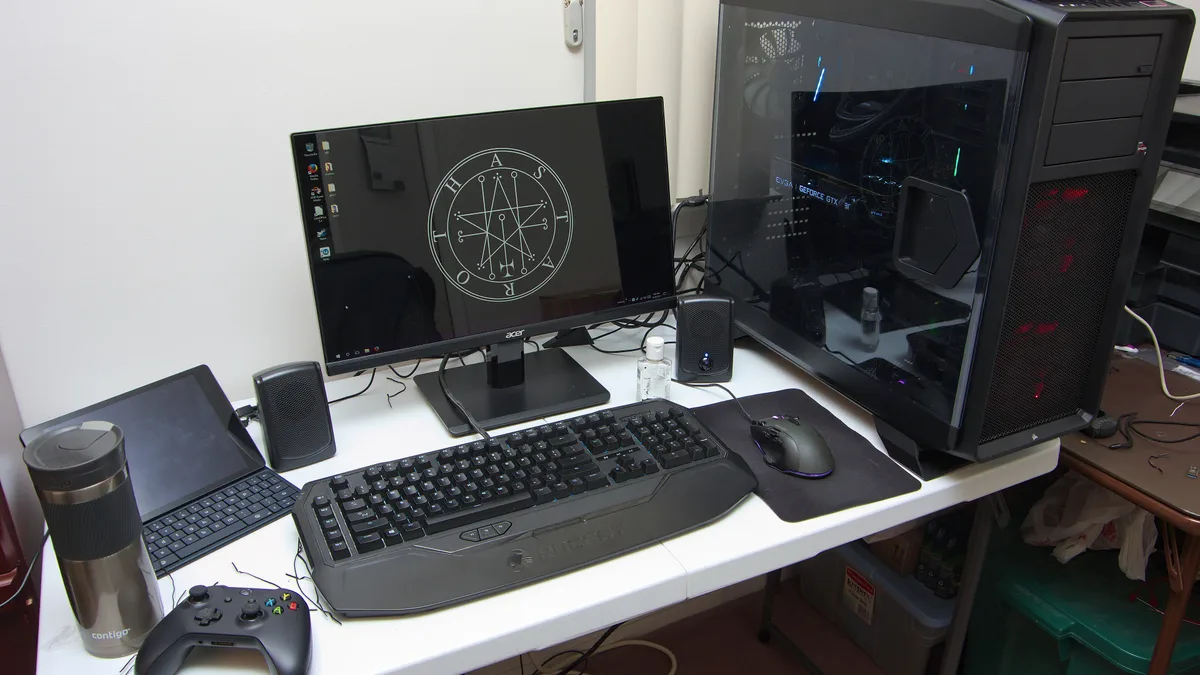
A complete budget gaming setup (mouse, mechanical keyboard, headset and a 144 Hz monitor) costs about $250 in 2026. That's the good news of the year: while RAM, SSDs and graphics cards got more expensive, peripherals stayed cheap. A $20–30 mouse and keyboard are genuinely good now, and a 1080p 144 Hz monitor costs about $100.
Here's the short version:
- Mouse (~$20–30): a light, wired mouse with a good sensor, like the Logitech G203.
- Keyboard (~$30–50): a budget mechanical board, like the Redragon K552.
- Headset (~$50–60): comfort and a clear mic matter more than "7.1 surround".
- Monitor (~$70–110): 1080p at 144 Hz or more, like the Acer Nitro KG241Y.
- Buy the monitor last if your graphics card can't push more than 60 FPS anyway.
What does a budget gaming setup cost in 2026?
The honest answer: less than one budget graphics card. Here's a realistic setup with prices seen at US retailers in 2026:
| Item | Example | Typical price | What to look for |
|---|---|---|---|
| Mouse | Logitech G203 (wired) | ~$20–35 | Light, good sensor, a shape that fits your hand |
| Keyboard | Redragon K552 (tenkeyless, mechanical) | ~$30 | Mechanical switches, compact layout |
| Headset | Turtle Beach Atlas 200 / HyperX Cloud III | ~$50–60 (Cloud III on sale) | Comfort, clear mic, wired |
| Monitor | Acer Nitro KG241Y (24", 1080p, 165 Hz) | ~$95–110 | 1080p, 144 Hz+, FreeSync |
| Total | ~$195–235 |
Prices are snapshots from 2026 deal trackers and retailer listings (see the sources). Peripherals go on sale often, so a setup like this regularly lands under $250.
Which peripheral should you buy first?
The one you use most that's currently holding you back. For most people moving from an office setup, that order is:
- Mouse. A proper gaming mouse is the cheapest upgrade with the most direct effect on aim and comfort.
- Headset. Hearing footsteps and talking to your team clearly matters in most online games.
- Keyboard. A mechanical keyboard is nicer to use, but a basic one won't stop you from playing well.
- Monitor. The biggest jump in smoothness, but only if your PC can run games above 60 FPS.
That last point is the one people miss. A 144 Hz monitor shows up to 144 frames per second. If your graphics card delivers 50 FPS, a 144 Hz screen won't change much. My guide to the best budget graphics cards covers which cards reach high frame rates at 1080p.
Gaming mouse: where cheap is genuinely good
Worth it if you're still using an office mouse. Skip the expensive "pro" models: under $35, modern sensors are already accurate enough for any player.
The Logitech G203 is the classic example: an 8,000 DPI sensor in a compact, light body, and Tom's Hardware listed it at $19.99 at Amazon in 2026 (down from $34.99). What matters at this price is shape and weight, not DPI numbers. Pick a mouse that fits how you hold it, wired if you want to avoid paying for good wireless.
Mechanical keyboard: worth it, but not urgent
A budget mechanical keyboard like the Redragon K552 costs about $30 and gives you mechanical switches in a compact tenkeyless layout. The smaller size leaves more desk room for your mouse, which helps in shooters.
Worth it if you play a lot and type a lot. Skip it if your current keyboard works fine and money is tight; it's the upgrade with the smallest effect on how well you play.
Gaming headset: comfort and mic first
Worth it if you play online with others. Skip "virtual 7.1 surround" as a buying reason; it's mostly marketing on cheap headsets.
At around $50–60, look for a comfortable, wired headset with a clear mic. Tom's Hardware names the HyperX Cloud III its best budget headset (list price $100, seen at $49 on sale at Walmart), and the Turtle Beach Atlas 200 sells for about $60. If you'd rather use earbuds or speakers, a cheap standalone USB mic is a fine alternative.
Monitor: the biggest upgrade, if your PC can feed it
Worth it if your PC runs your games above 60 FPS. Skip it for now if you're on integrated graphics or a very old GPU: spend that money on the PC first.
A 24-inch, 1080p monitor at 144 Hz or higher is the sweet spot for budget gaming. The Acer Nitro KG241Y (165 Hz, FreeSync Premium) was $109.99 at Amazon in April 2026, and basic 22-inch 144 Hz models like the Sceptre E225W-FW144 sell for around $65–70. Make sure the monitor supports FreeSync (or is G-Sync Compatible): it smooths out the stutter when your FPS doesn't match the refresh rate.
Don't go 1440p on a budget PC. Higher resolution needs a much stronger graphics card to keep frame rates up.
Where can you save money on a gaming setup?
- Keep your current keyboard for now; it has the smallest effect on gameplay.
- Buy wired. Good wireless costs more. Wired gear at the same price is usually better.
- Wait for sales. Peripheral prices drop often; a $35 mouse at $20 is normal.
- Skip RGB as a feature. It adds cost and does nothing for your game.
- Don't buy a 240 Hz monitor for a budget PC. It won't reach those frame rates.
If your PC itself is the weak point, my guide to the best upgrades for a low-end gaming PC shows which part to fix first.
The bottom line
A full budget gaming setup costs around $200–250 in 2026, and it's the one part of PC gaming that didn't get pricier this year. Get the mouse and headset first, add a mechanical keyboard when you can, and buy a 1080p 144 Hz monitor once your PC can run games above 60 FPS. Cheap peripherals are good enough now; spend the savings on your graphics card.
FAQ
How much should I spend on a budget gaming mouse?
About $20–35. Under that, modern sensors are already accurate enough; shape and weight matter more than DPI.
Is a 144 Hz monitor worth it on a budget PC?
Only if your PC runs games above 60 FPS. On integrated graphics or an old GPU, spend the money on the PC first.
Do I need a mechanical keyboard for gaming?
No. It's nicer to use and lasts long, but it has the smallest effect on how well you play of any peripheral.
Is wired or wireless better for budget gaming gear?
Wired. At the same price, wired mice and headsets usually perform better, and they never need charging.
Sources
- Best PC peripherals deals 2026 — Tom's Hardware (Logitech G203 and HyperX Cloud III deal prices, 2026)
- Best gaming headsets 2026 — Tom's Hardware (HyperX Cloud III budget pick, Turtle Beach Atlas 200)
- Acer Nitro KG241Y price history — camelcamelcamel (Amazon, April 1, 2026)
- Best gaming monitor under $150 (2026) — YourTechReviews (Sceptre E225W-FW144 price)
- Best budget gaming mouse and keyboard 2026 — SooperCart (Redragon K552 price)