





The best budget SSD for gaming in 2026 is a cheap PCIe 4.0 NVMe drive like the Kingston NV3, if your PC has an M.2 slot. If it doesn't, a 2.5-inch SATA SSD such as the Kingston A400 still makes an old PC feel much faster than a hard drive. And if you can stretch your budget, a 2 TB drive costs less per terabyte than a 1 TB one this year.
Here's the short version:
- PC with an M.2 slot: a budget NVMe drive. The Kingston NV3 1 TB was about $150 in August 2026.
- Older PC without M.2: a SATA SSD. The Kingston A400 1 TB was about $155.
- Best value per terabyte: 2 TB NVMe. The ADATA Legend 710 2 TB was about $210, roughly $105 per TB.
- Skip 500 GB. At around $116, it costs almost as much as 1 TB and fills up with two or three big games.
- You don't need a fast Gen5 drive. For games, a budget Gen4 or even Gen3 NVMe is plenty.
Why does an old gaming PC need an SSD in 2026?
Because new games are built for one. Some still run on a hard drive, but with long loading screens, stutter and textures that pop in late. Others now say it outright: Wuthering Waves lists "SSD Recommended" at minimum and "SSD Required" at its recommended settings on Steam.
An SSD won't raise your average FPS much. What it fixes is everything around it: boot time, loading screens, open-world streaming and the small freezes when a game reads from the drive. On an old PC still running Windows from a hard drive, it's often the upgrade that feels biggest. My guide to the best upgrades for a low-end gaming PC explains where it fits next to RAM and a new graphics card.
Which budget SSD should you buy?
Here are the cheapest drives tracked on Amazon US in August 2026:
| Drive | Type | Capacity | Price (Aug 2026) | Per TB |
|---|---|---|---|---|
| Kingston NV3 | NVMe | 500 GB | ~$116 | ~$231 |
| Kingston NV3 | NVMe | 1 TB | ~$150 | ~$150 |
| TeamGroup MP44L | NVMe | 1 TB | ~$154 | ~$154 |
| ADATA Legend 710 | NVMe | 2 TB | ~$210 | ~$105 |
| Kingston A400 | SATA | 480 GB | ~$100 | ~$208 |
| Kingston A400 | SATA | 1 TB | ~$155 | ~$155 |
| WD Blue SA510 | SATA | 2 TB | ~$260 | ~$130 |
These are the lowest listings found on August 19–20, 2026 (CheapestSSD and ListOfDisks via Capital and Compute). SSD prices move weekly, so check again before you buy.
My pick for most budget gamers is the Kingston NV3 1 TB: it's the cheapest 1 TB NVMe in that snapshot, and PCWorld ranks the NV3 among the best cheap SSDs. If 2 TB fits your budget, the ADATA Legend 710 2 TB gives you twice the space for about $60 more.
NVMe or SATA: which one does your PC need?
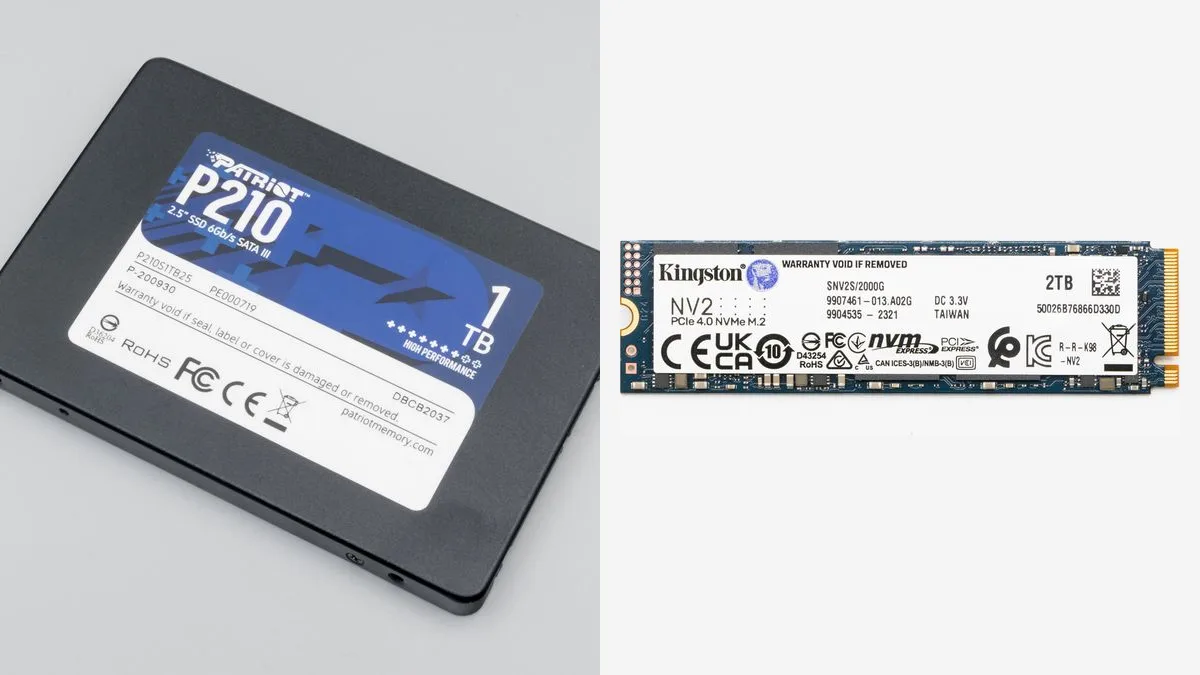
Check your motherboard, not the drive. If it has an M.2 slot that supports NVMe, get NVMe: it's the same price as SATA this year and several times faster on paper. If your PC has no M.2 slot (common on older office PCs and boards from before about 2016), a SATA SSD is the right pick.
A few things to check before ordering:
- M.2 slot type. Some older M.2 slots only support SATA M.2 drives, not NVMe. Your motherboard's manual or spec page says which.
- PCIe generation. A PCIe 4.0 drive works in a PCIe 3.0 slot, just at Gen3 speed. For games, that's fine.
- SATA cables. A 2.5-inch SATA SSD needs a SATA data cable and a power connector from the PSU. Most PCs have spares; budget drives often don't include a data cable.
Worth it if: NVMe for any PC with a compatible M.2 slot. Skip NVMe if your board only has SATA ports; a SATA SSD still gives you most of the real-world gain over a hard drive.
How big an SSD do you need for gaming?
1 TB is the minimum I'd buy in 2026. Big games are huge now. Wuthering Waves asks for 150 GB of free space on Steam, and Genshin Impact and NTE: Neverness to Everness about 110 GB each. Add Windows and updates, and a 500 GB drive is full after two or three of them.
Here's how the sizes compare at August 2026 prices:
- 500 GB (~$116): only if you play one big game and keep the rest on another drive.
- 1 TB (~$150): the sensible default for most budget PCs.
- 2 TB (~$210): best value per terabyte, and the size that won't need replacing soon.
If you're keeping your old hard drive, use it for videos, screenshots and older games. Put Windows and your newest games on the SSD.
Does a cheap SSD without DRAM matter for games?
Not much. Most budget NVMe drives, including the NV3, skip a DRAM cache to save money and borrow a little system memory instead (called HMB). That mainly slows long, heavy file transfers, like copying hundreds of gigabytes at once. Loading games is mostly reads, where budget drives do well. For a gaming PC, a cheap drive with no DRAM is still a huge step up from any hard drive. One trade-off to know: the NV3 comes with a three-year warranty, shorter than the five years some drives offer.
Should you buy today or wait for SSD prices to drop?
Don't expect a quick drop. Flash memory prices climbed through 2026 as makers prioritized AI data-center storage, and TrendForce forecasts NAND contract prices up another 15–20% in the fourth quarter of 2026. If you're still playing from a hard drive, the upgrade is worth doing at today's prices.
One note on brands: Micron announced in December 2025 that it was leaving the consumer market, and Crucial shipments to retailers ended in February 2026. Crucial SSDs are now remaining stock only (Micron says warranties are still honored), so expect patchy availability.
The bottom line
If your PC has an M.2 slot, get a budget NVMe drive: the Kingston NV3 1 TB is the best value pick at around $150. If you can spend about $60 more, the ADATA Legend 710 2 TB is cheaper per terabyte and gives you room for several big games. On older PCs without M.2, a Kingston A400 SATA SSD still makes a big difference. Skip 500 GB drives: they cost almost as much as 1 TB.
FAQ
Is an SSD worth it for gaming on an old PC?
Yes, if you're still on a hard drive. It cuts loading times, reduces stutter in open worlds, and some new games now recommend or require one.
Does an SSD increase FPS?
Usually not your average FPS. It mainly cuts loading times and drive-related stutter, which often feels like a bigger upgrade than a few extra frames.
Is 500 GB enough for gaming?
Not in 2026. Big games take 75 to 150 GB each, so 500 GB fills up fast. 1 TB is the sensible minimum.
Is a Gen4 SSD worth it over Gen3 for games?
Not really. Game loading barely changes between them. Buy whichever is cheaper, and spend the difference on capacity.
Sources
- SSD prices in 2026 — Capital and Compute (updated October 7, 2026; retail prices from August 19–20, 2026; TrendForce forecast)
- Best SSDs of 2026 — PCWorld
- Kingston NV3 SSD review — PCWorld (DRAM-less HMB design, three-year warranty)
- Micron announces exit from Crucial consumer business — StorageReview (December 2025)
- Wuthering Waves on Steam — Kuro Games (checked October 8, 2026)
- Genshin Impact system requirements — HoYoverse Support (checked October 2026)
- NTE: Neverness to Everness on Steam — Perfect World Games (checked October 8, 2026)