









The best budget RAM for gaming in 2026 is a 16 GB kit made of two 8 GB sticks that matches your motherboard: DDR4-3200 for most older PCs, DDR5 for newer ones. 16 GB is now the minimum for several big games, and two sticks run in dual channel, which matters more than speed or brand. Skip 32 GB on a budget: at 2026 prices, that money does more elsewhere.
Here's the short version:
- How much: 16 GB. Wuthering Waves, NTE and Marvel Rivals all list 16 GB as their minimum.
- How many sticks: two (2 × 8 GB). One 16 GB stick runs in single channel and loses performance.
- Older PCs (DDR4): a 2 × 8 GB DDR4-3200 kit, about $89–140 in August–September 2026.
- Newer PCs (DDR5): a 2 × 8 GB DDR5 kit, about $214 at the lowest in August 2026.
- Biggest mistake: buying the wrong type. DDR3, DDR4 and DDR5 don't fit each other's slots.
How much RAM do you need for gaming in 2026?
16 GB. For years, 8 GB was enough for most games. In 2026, several popular titles have moved past it:
| Game | Minimum RAM (official) |
|---|---|
| Wuthering Waves | 16 GB |
| NTE: Neverness to Everness | 16 GB |
| Marvel Rivals | 16 GB |
| Minecraft: Java Edition (integrated graphics) | 12 GB |
| Counter-Strike 2 | 8 GB |
| Genshin Impact | 8 GB |
Plenty of games still run on 8 GB, but Windows, a browser and a voice chat app can use several gigabytes on their own. On 8 GB, that's where stutter and long loading come from.
32 GB is nice for streaming or heavy multitasking, but for gaming alone it rarely helps on a budget PC. At 2026 prices (a 32 GB DDR4 kit was about $179–250), the difference is better spent on a graphics card.
Why two RAM sticks beat one
Two sticks run in dual channel, which doubles the paths between your RAM and your CPU. In games that are limited by the CPU or memory, that often means noticeably higher and steadier frame rates. For integrated graphics, which use system RAM as video memory, dual channel can make an even bigger difference.
So 2 × 8 GB is the right way to get 16 GB. If you already have one 8 GB stick, adding a second matching stick (same type, speed and ideally the same model) is the cheapest way to get both 16 GB and dual channel.
Check where to put them: most motherboards with four slots want the two sticks in slots 2 and 4 (often labeled A2 and B2). Your motherboard manual shows the right pair.
Which budget RAM should you buy?
Match your motherboard first, then pick a kit from a known brand.
| Your PC | What to buy | Typical price (2026) |
|---|---|---|
| Intel 6th–11th gen, AMD Ryzen on AM4 | 2 × 8 GB DDR4-3200 | ~$89–140 (Aug–Sep) |
| Intel 12th gen+ with DDR5 board, AMD AM5 | 2 × 8 GB DDR5-5600 or 6000 | ~$214+ (Aug) |
| Older Intel (2nd–5th gen), AMD FX | DDR3 (often used kits) | Varies |
| Laptops | Matching SO-DIMM sticks, if not soldered | Varies |
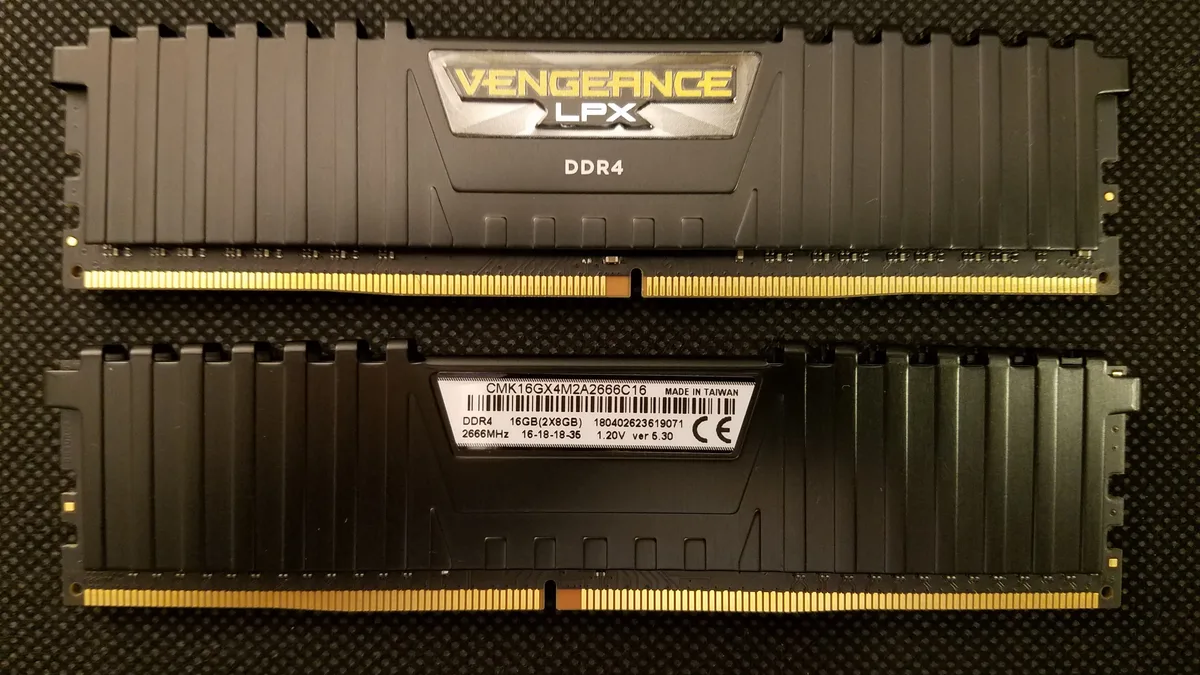
For DDR4, a 3200 MHz CL16 kit like the Corsair Vengeance LPX, G.Skill Ripjaws V or TeamGroup T-Force Vulcan Z is the sweet spot: faster kits cost more for small gains on a budget PC. Bottleneck PC tracked the Corsair Vengeance LPX 16 GB DDR4-3200 at about $140 in September 2026, and Tom's Hardware's tracker had DDR4 16 GB kits as low as $89 in August.
DDR5 is where prices rose the most in 2026. If you're on a DDR5 platform, 2 × 8 GB is still the budget choice; just expect to pay more than twice the DDR4 price.
How to check which RAM your PC has
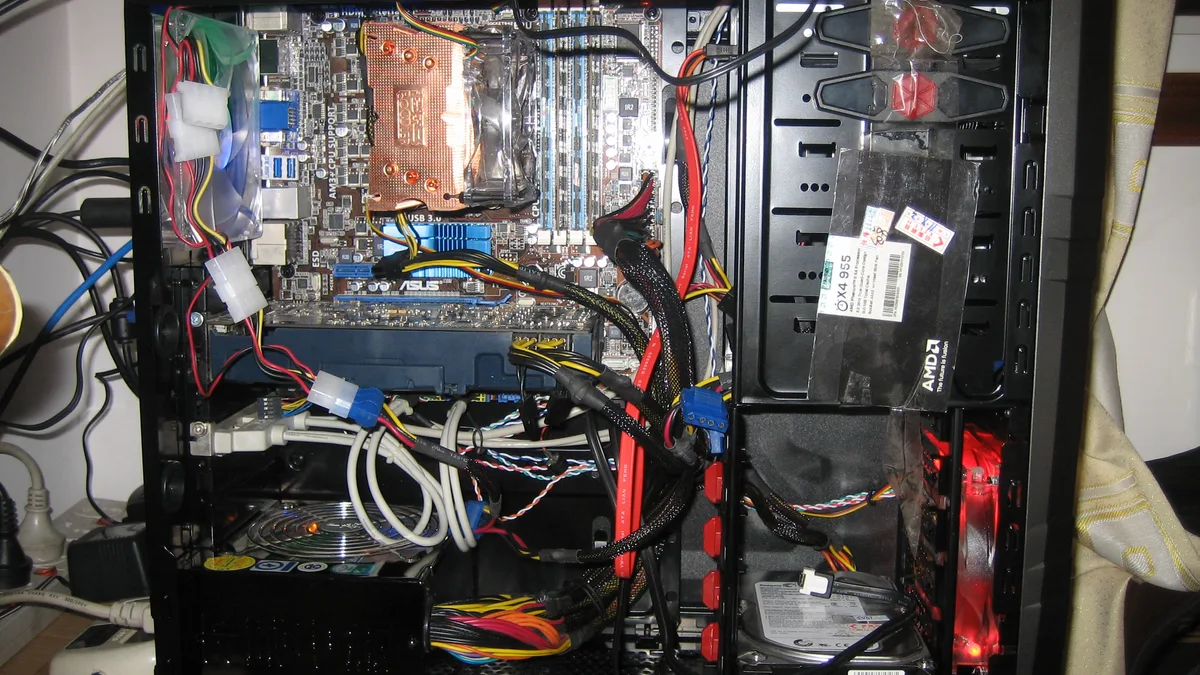
- Open Task Manager → Performance → Memory. It shows your total RAM, speed, and "Slots used" (for example, 1 of 4 means one stick).
- For the exact type (DDR3, DDR4 or DDR5), check your motherboard or laptop model on the manufacturer's site, or use a free tool like CPU-Z (Memory and SPD tabs).
- On laptops, check whether the RAM is soldered. Many thin laptops can't be upgraded at all.
Is it worth upgrading RAM in 2026, with prices this high?
If you're on 8 GB or a single stick, yes. It's the upgrade that fixes stutter and lets you play games that now ask for 16 GB. Most forecasts expect memory prices to stay high into 2027, so waiting may not save much.
If you already have 16 GB in two sticks, no. More RAM won't raise your frame rate; a graphics card or an SSD will help more. My guide to the best upgrades for a low-end gaming PC ranks each upgrade by what it fixes per dollar.
The bottom line
Get 16 GB as two 8 GB sticks, matched to your motherboard: DDR4-3200 for most older PCs, DDR5 for newer ones. Dual channel matters more than speed or brand, and 32 GB isn't worth it on a budget at 2026 prices. If you already have one 8 GB stick, add a matching second one: it's the cheapest way to reach 16 GB in dual channel.
FAQ
Is 8 GB of RAM enough for gaming in 2026?
For many games, yes, but not for the newest big ones: Wuthering Waves, NTE and Marvel Rivals all list 16 GB as their minimum.
Is 1 × 16 GB or 2 × 8 GB better for gaming?
2 × 8 GB. Two sticks run in dual channel, which gives noticeably better performance in many games, especially with integrated graphics.
Does RAM speed matter for gaming?
A little. DDR4-3200 is the sweet spot for budget DDR4 systems. Getting dual channel right matters more than buying faster RAM.
Can I mix different RAM sticks?
Often, but it's safest to match type, speed and capacity. Mixed kits may run at the slower stick's speed or, in some cases, fail to boot.
Sources
- Why RAM and SSD prices are so high in 2026 — Dave's Computers (Tom's Hardware tracker lows, August 17, 2026)
- RAM & SSD prices 2026: buy now or wait? — Bottleneck PC (updated September 18, 2026)
- Minecraft: Java Edition system requirements — Mojang (updated July 21, 2026)
- Steam store pages (minimum specs, checked October 2026): Wuthering Waves, NTE: Neverness to Everness, Marvel Rivals, Counter-Strike 2
- Genshin Impact system requirements — HoYoverse Support (checked October 2026)